


If you’ve been thinking about launching your own online course platform or mobile learning app, you’re in the right place. The demand for eLearning platforms is exploding, and with tools like Prime LMS Flutter App, you don’t need to build everything from scratch.
In this guide, we’ll break down everything you need to know—from installation to full setup—in a simple, engaging, and practical way. Whether you’re a beginner or a developer looking to speed up deployment, this walkthrough will help you get your LMS app live fast.
🎥 Watch the Full Video Guide
Before we dive deep, here’s the complete step-by-step video tutorial:
👉 https://youtu.be/fRWPo3wrwpk
🚀 What is Prime LMS Flutter App?
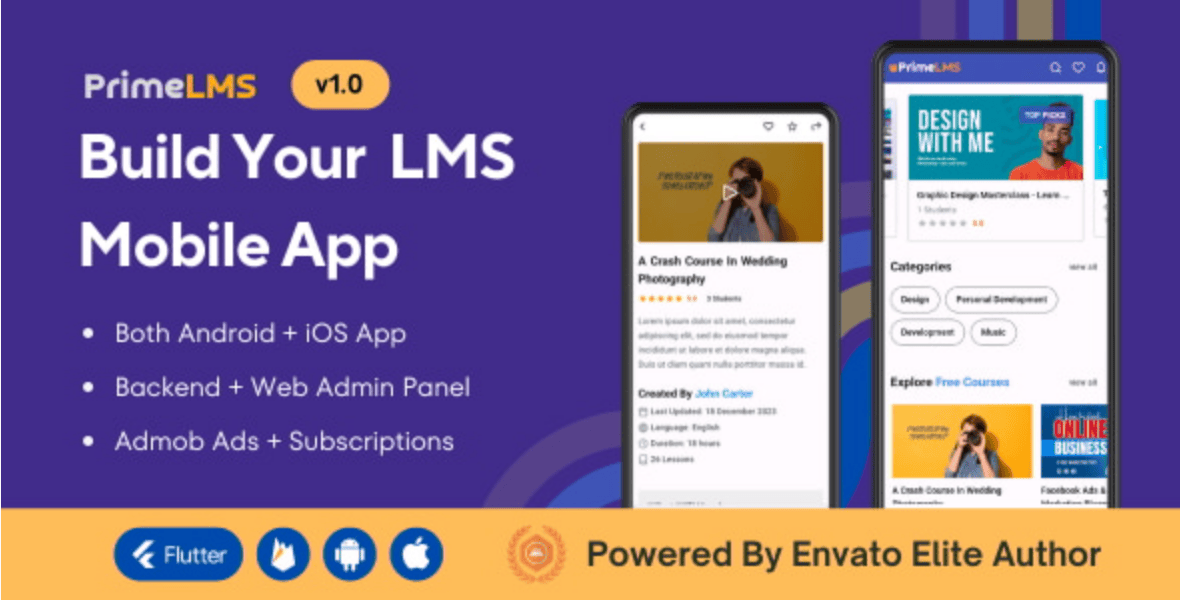
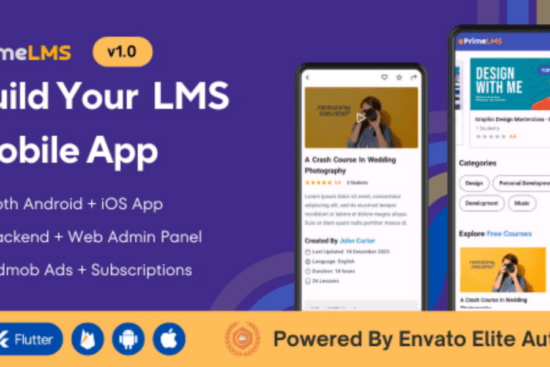
Prime LMS Flutter App is a ready-made mobile application built using Flutter that allows you to launch an online learning platform quickly. It typically comes with:
- Student & instructor dashboards
- Course management system
- Video lessons & quizzes
- Payment integration
- Admin backend panel
This means instead of spending months coding, you can install, customize, and launch within days.
🔥 Why You Should Use Prime LMS Flutter App
Let’s be real—building an LMS from scratch is expensive and time-consuming. Here’s why this solution is a game-changer:
- ⚡ Faster time to market
- 💰 Cost-effective compared to custom builds
- 📱 Cross-platform (Android & iOS)
- 🎯 Built for scalability
- 🔧 Easy customization
If you’re serious about entering the eLearning space, this is one of the smartest shortcuts available.
🧰 Requirements Before Installation
Before installing the app, ensure you have the following ready:
- Flutter SDK installed
- Android Studio or VS Code
- Backend files (usually PHP/Laravel-based)
- Hosting server (shared/VPS/cloud)
- Domain name
- Firebase account (for push notifications)
🛠️ Step-by-Step Installation Guide
1. Download the Source Code
You can get the Prime LMS app from Envato:
👉 https://1.envato.market/GbK9Xr
Once downloaded, extract the files to your system.
2. Set Up the Backend (Admin Panel)
Most LMS apps come with a backend dashboard.
- Upload backend files to your hosting server
- Create a MySQL database
- Import the SQL file
- Configure
.envfile with:- Database credentials
- App URL
- Mail settings
3. Connect Backend to App
Inside the Flutter project:
- Locate the API config file
- Replace the base URL with your server URL
- Save changes
This step is critical—without proper API connection, your app won’t fetch data.
4. Configure Firebase
Firebase is used for:
- Push notifications
- Authentication (optional)
Steps:
- Create a Firebase project
- Add Android & iOS apps
- Download
google-services.json(Android) - Download
GoogleService-Info.plist(iOS) - Place files in the correct directories
5. Install Dependencies
Open your terminal and run:
flutter pub get
This installs all required packages for the app.
6. Run the App
To test locally:
flutter run
Make sure your emulator or physical device is connected.
7. Build APK or IPA
For Android:
flutter build apk
For iOS:
flutter build ios
🎨 Customization Tips
Want your app to stand out? Here’s what you can tweak:
- Logo and branding
- App colors and UI
- Payment gateways (Stripe, Paystack, Flutterwave)
- Course categories
- Language settings
💼 Want It Done For You?
If all this feels technical or you just want a fast, clean setup done professionally:
👉 Hire Me: https://wa.link/6ifn6q
I can help you with:
- Full installation
- Customization
- Branding
- Payment integration
- App publishing (Play Store & App Store)
🔗 Join Our Community
Stay updated with more tutorials, tools, and business ideas:
👉 Join WhatsApp Channel: https://whatsapp.com/channel/0029VbB7qwp4IBhBjdLiQB18
🌍 SEO & Growth Strategy for Your LMS App
Installing the app is just step one. To succeed, you need visibility.
Tips:
- Create SEO-optimized course pages
- Use YouTube marketing (like this video)
- Run Facebook & Google ads
- Offer free courses to attract users
- Use email marketing automation
🔗 Helpful Resources (Backlinks)
- Flutter Official Docs: https://flutter.dev/docs
- Firebase Setup Guide: https://firebase.google.com/docs
- Laravel Documentation: https://laravel.com/docs
These platforms will help you understand deeper technical aspects.
🧠 Final Thoughts
Launching your own LMS app is no longer a complex, developer-only project. With tools like Prime LMS Flutter App, you can build, customize, and launch a professional eLearning platform in record time.
The key is execution—don’t just watch tutorials, take action.
👉 Watch the full video again: https://youtu.be/fRWPo3wrwpk
👉 Get the app: https://1.envato.market/GbK9Xr
👉 Hire expert help: https://wa.link/6ifn6q
🚀 Ready to Launch Your LMS Business?
Start today. The eLearning market is growing fast—and your idea could be the next big platform.
If you need help, guidance, or full setup…
👉 I’m just one message away: https://wa.link/6ifn6q
How to Install Prime LMS Flutter App | Complete Online Course App Setup (Step-by-Step Guide)



Leave a Reply