


Step By Step Guide to Install Cash Rocket – Flutter Online Earning App with Admin Panel
If you’ve been searching for a proven way to launch your own online earning app, you’re in the right place. In today’s fast-growing digital economy, apps like Cash Rocket are becoming extremely popular for generating passive income and building scalable online businesses.
This guide is based on the YouTube video below and will walk you through everything you need — from installation to deployment — in a simple, engaging, and beginner-friendly way.
🎥 Watch the Full Video Tutorial
👉 https://youtu.be/wI_sqRJDuNs
🚀 What is Cash Rocket?
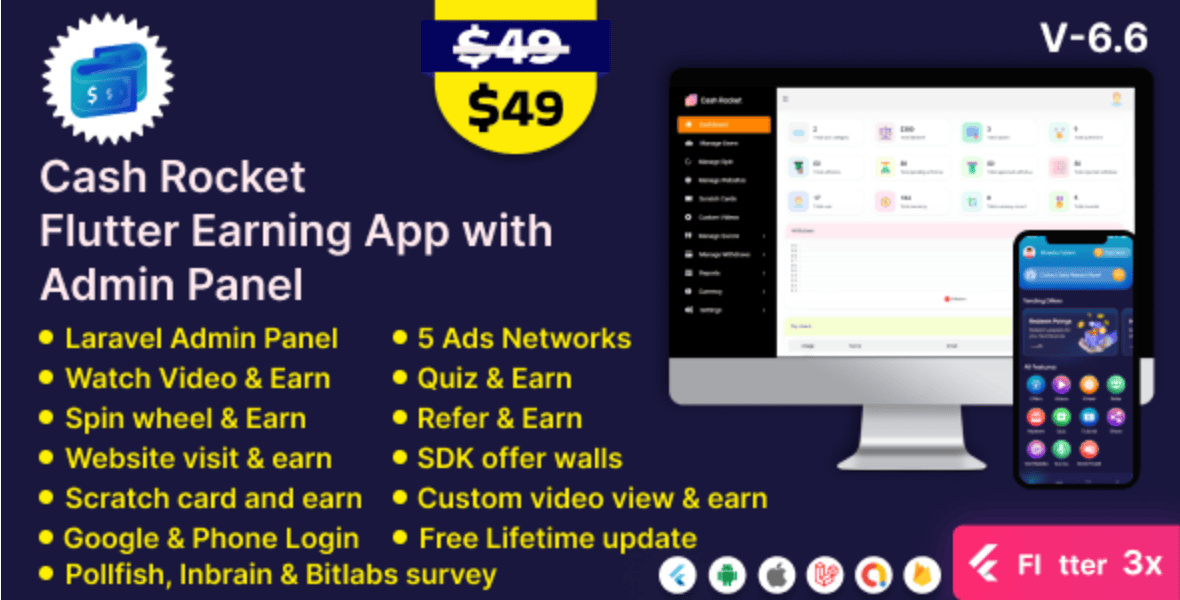
Cash Rocket is a Flutter-based online earning app that allows users to earn money by completing tasks, watching ads, referring friends, and more. It comes with a powerful admin panel that lets you manage users, payouts, ads, and overall system performance.
If you’re looking to build a money-making mobile app business, this is one of the easiest ways to get started.
💡 Why Cash Rocket is a Smart Business Idea
Let’s be real — apps that reward users for simple actions are highly addictive and profitable. Here’s why Cash Rocket stands out:
- 📱 Built with Flutter (cross-platform: Android & iOS)
- 💰 Multiple earning methods (ads, referrals, tasks)
- ⚙️ Easy-to-use admin dashboard
- 🌍 Scalable for global users
- 🔗 Monetization via AdMob and offerwalls
🛠️ Step-by-Step Installation Guide
Let’s break down the process into simple steps so you can launch your app without stress.
✅ Step 1: Purchase the Script
To get started, you’ll need the original source code.
👉 Buy it here: https://codecanyon.net/ (Envato Market)
This ensures you get:
- Full source code
- Documentation
- Regular updates
- Support from developers
✅ Step 2: Set Up Your Server
You’ll need:
- A VPS or shared hosting
- PHP 7.4+
- MySQL database
- cPanel or similar
Recommended hosting providers:
- Namecheap
- Hostinger
- DigitalOcean
✅ Step 3: Upload Admin Panel Files
- Extract the downloaded file
- Upload the admin panel folder to your server
- Navigate to your domain (e.g., yourdomain.com)
✅ Step 4: Create Database
- Go to cPanel → MySQL Database
- Create a new database
- Assign a user with full privileges
✅ Step 5: Run Installation Wizard
Once you open your domain, the installer will guide you through:
- Database configuration
- Admin account setup
- App settings
Just follow the prompts — it’s straightforward.
✅ Step 6: Configure Admin Panel
Inside your dashboard, you can:
- Add earning methods
- Set withdrawal rules
- Configure AdMob ads
- Manage users
- Track earnings
✅ Step 7: Setup Flutter App
Now the fun part 👇
- Open the Flutter project in:
- Android Studio or VS Code
- Update:
- App name
- Package name
- API base URL (your server link)
- Replace:
- App logo
- Splash screen
✅ Step 8: Build APK or App Bundle
Run:
flutter build apk
or
flutter build appbundle
Then upload to:
- Google Play Store
- Third-party app stores
💰 Monetization Tips (Very Important)
If you want to make serious money, don’t skip this part.
🔥 Best Revenue Sources:
- Google AdMob
- Facebook Audience Network
- Offerwalls (AdGate, CPX Research)
- Referral commissions
💡 Pro Tip:
Combine multiple revenue streams for maximum profit.
🌐 SEO & Growth Strategy
Once your app is live, focus on growth:
- Create a landing page
- Optimize for keywords
- Use YouTube marketing
- Run Facebook & TikTok ads
- Build a referral system
🔗 Useful Resources & Backlinks
- Flutter Docs: https://flutter.dev/docs
- Google AdMob: https://admob.google.com
- Firebase: https://firebase.google.com
These tools will help you scale your app professionally.
📈 50 High-Ranking SEO Keywords
Here are powerful keywords you can use for ranking:
online earning app, flutter earning app, cash rocket app, earn money app script, flutter app development, mobile earning app, passive income app, admin panel app, app monetization, admob integration, flutter android app, earn money online app, referral earning app, reward app script, android earning app, ios earning app, build earning app, flutter ui app, codecanyon app script, buy app source code, earning app business, make money app, task earning app, paid survey app, install flutter app, flutter project tutorial, earning app tutorial, online business app, app startup ideas, monetize mobile app, mobile app income, digital business idea, flutter developer guide, admin dashboard app, mobile app backend, php admin panel, app installation guide, app deployment flutter, firebase integration app, push notification app, user reward system, mobile app script, best earning apps 2026, online income app, build passive income app, flutter coding tutorial, app business model, earn money app clone, startup mobile app idea
💼 Hire Me for Setup & Customization
If you don’t want to stress yourself with technical setup, I can help you:
👉 Hire Me: https://wa.link/6ifn6q
Services I offer:
- Full installation
- Customization & branding
- Payment gateway integration
- App deployment
- SEO & marketing setup
🛒 Get the Script (Affiliate Link)
👉 Buy from Envato: https://codecanyon.net/
This supports the creator and ensures you get a secure and updated version.
💬 Join Our WhatsApp Channel
Stay updated with:
- New earning app ideas
- Tutorials
- Business tips
👉 Join Now: https://whatsapp.com/channel/0029VbB7qwp4IBhBjdLiQB18
🔥 Final Thoughts
Building an online earning app like Cash Rocket is one of the smartest digital business moves you can make today. With the right setup, marketing, and monetization strategy, you can turn this into a consistent income stream.
If you follow the steps in this guide and the video tutorial, you’ll be up and running in no time.
🎯 Call to Action
👉 Watch the full video: https://youtu.be/wI_sqRJDuNs
👉 Get the script: https://codecanyon.net/
👉 Hire me for setup: https://swalafvlog.com.ng/🚀-build-your-professional-website-starting-at-450/
👉 Join WhatsApp Channel: https://whatsapp.com/channel/0029VbB7qwp4IBhBjdLiQB18
Step By Step Guide to Install Cash Rocket – Flutter Online Earning App with Admin Panel





Leave a Reply