


If you’re looking to build a modern, engaging streaming platform for short dramas and web series, then StoryBox Flutter App is one of the best solutions you can work with. In this guide, we’ll walk you through everything you need to know about installing and setting up the StoryBox Flutter app, based on the step-by-step process demonstrated in the video below.
👉 Watch the full tutorial here:
https://youtu.be/bZo9V2Gdpn0
This blog is written to help developers, entrepreneurs, and content creators understand how to install, configure, and optimize the StoryBox Flutter app for maximum performance and user engagement.
🚀 What is StoryBox Flutter App?
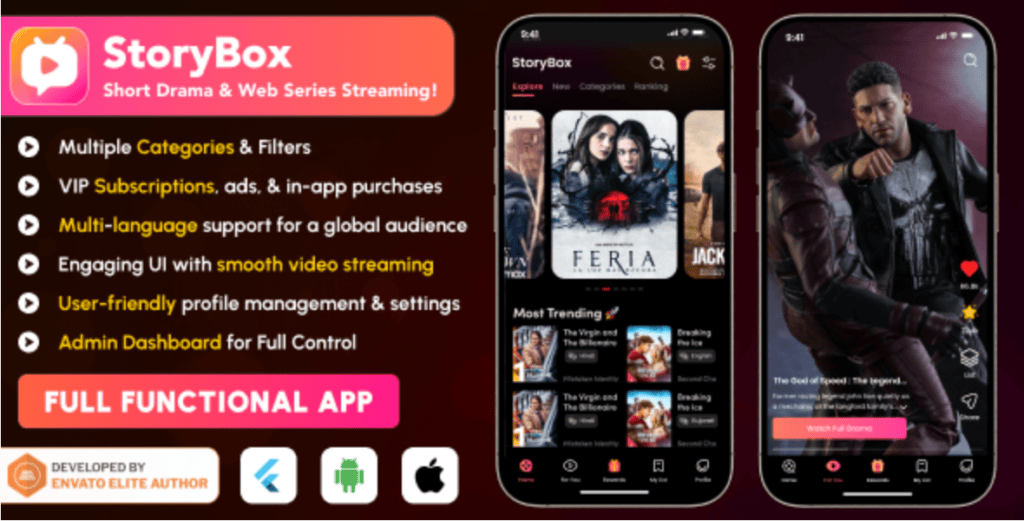
The StoryBox Flutter App is a modern mobile application template built using Flutter, designed specifically for streaming short drama, web series, and episodic content. It comes with a sleek UI, high performance, and customizable features that allow developers to quickly launch a professional streaming platform.
Flutter, being a powerful cross-platform framework, ensures that the app works seamlessly on both Android and iOS devices, making it ideal for startups and businesses targeting a wide audience.
🔧 Step-by-Step Installation Guide
Installing the StoryBox Flutter App may seem technical at first, but with the right guidance, it becomes straightforward. Here’s a simplified breakdown:
1. Download the Source Code
Start by downloading the StoryBox Flutter project files. You can get high-quality templates and resources from platforms like:
👉 Envato Market: https://1.envato.market/aNOXvo
These resources often include full documentation and support files.
2. Install Flutter SDK
Ensure you have the Flutter SDK installed on your system. If not, download it from the official Flutter website:
Follow their official installation guide for your operating system (Windows, macOS, or Linux).
3. Setup Development Environment
Install a code editor such as:
- Android Studio
- Visual Studio Code
Configure Flutter and Dart plugins for seamless development.
4. Extract and Open Project
Unzip the downloaded StoryBox project and open it in your IDE.
Run:
flutter pub get
This command installs all required dependencies.
5. Configure API & Backend
Connect your app to the backend server or API. This step ensures that:
- Content loads correctly
- User authentication works
- Streaming data is properly fetched
Make sure to update API URLs in configuration files.
6. Run the App
Once everything is set:
flutter run
Your StoryBox app should now be live on your emulator or connected device.
🎯 Key Features of StoryBox Flutter App
The StoryBox Flutter App is packed with powerful features that make it stand out:
- Smooth video streaming
- Modern UI/UX design
- User authentication system
- Short drama content support
- Web series catalog
- Category-based browsing
- Push notifications
- Admin panel integration
- Fast loading speed
- Cross-platform compatibility
- Firebase integration
- Payment gateway integration
- Video player optimization
- Subscription system
- Offline content access
🔥 Why Choose Flutter for Streaming Apps?
Flutter has become the go-to framework for mobile app development due to:
- Cross-platform development
- Fast development cycle
- High-performance rendering
- Beautiful UI components
- Strong community support
Learn more from the official documentation:
👉 https://docs.flutter.dev
🔗 Internal Linking Opportunities
If you’re building a tech blog or service website, consider linking internally to:
- Flutter app development services
- Mobile app customization services
- Website development services
- SaaS development solutions
- UI/UX design services
👉 Hire Me: https://wa.link/6ifn6q
🌍 External Backlinks for Authority
To improve SEO credibility, link to trusted resources:
- Flutter Official Docs: https://flutter.dev
- Firebase: https://firebase.google.com
- Dart Language: https://dart.dev
- Google Developers: https://developers.google.com
These backlinks help search engines trust your content more.
🎥 Watch the Full Installation Tutorial
To make things even easier, follow along with the full video tutorial:
👉 https://youtu.be/bZo9V2Gdpn0
Watching the video while reading this guide will give you a complete understanding of the installation process.
💼 Need Professional Help?
If you want a fully customized streaming app, or need help with:
- Flutter app installation
- Mobile app development
- Website development
- Custom backend integration
- SaaS platform development
- UI/UX customization
👉 Hire Me Here: https://wa.link/6ifn6q
🛒 Get Premium Resources
Looking for high-quality templates and scripts to speed up your project?
👉 Explore Envato Market: https://1.envato.market/aNOXvo
Envato provides premium Flutter templates, UI kits, and development assets to help you build faster and smarter.
📲 Join Our Community
Stay updated with the latest tutorials, tips, and resources:
👉 Join WhatsApp Channel:
https://whatsapp.com/channel/0029VbB7qwp4IBhBjdLiQB18
🎯 Final Thoughts
The StoryBox Flutter App is an excellent choice for anyone looking to enter the streaming platform market. Whether you’re building a short drama app, a web series platform, or a full OTT solution, this Flutter-based template gives you a solid foundation.
By following the steps outlined in this guide and watching the tutorial video, you can successfully install and launch your app without stress.
If you want to take things further, don’t hesitate to reach out for professional assistance. A well-built, optimized app can make all the difference in user engagement and business success.
💡 Ready to build your own streaming platform? Start today and bring your idea to life!

How-to-install-foodking-restaurant-food-delivery-system-with-admin-panel-delivery-man-app-pos
How to Install StoryBox Flutter App | Short Drama & Web Series Streaming App





Leave a Reply